


0:00 | 0:00

0
0:00 | 0:00

CoreMax® RQD Connection Tool
Quick-connect tool for external connections to CoreMax® valves during HVAC-R processing.
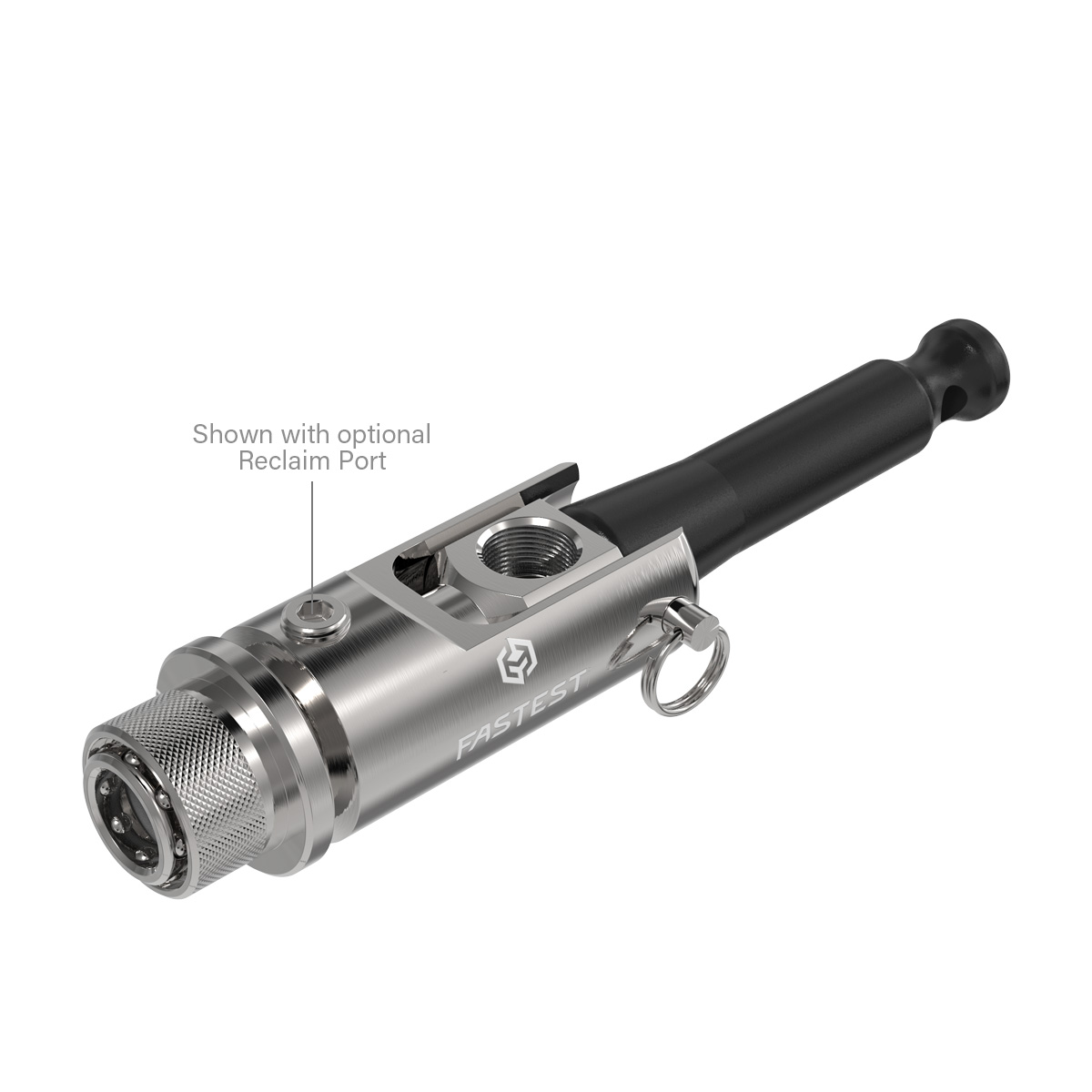
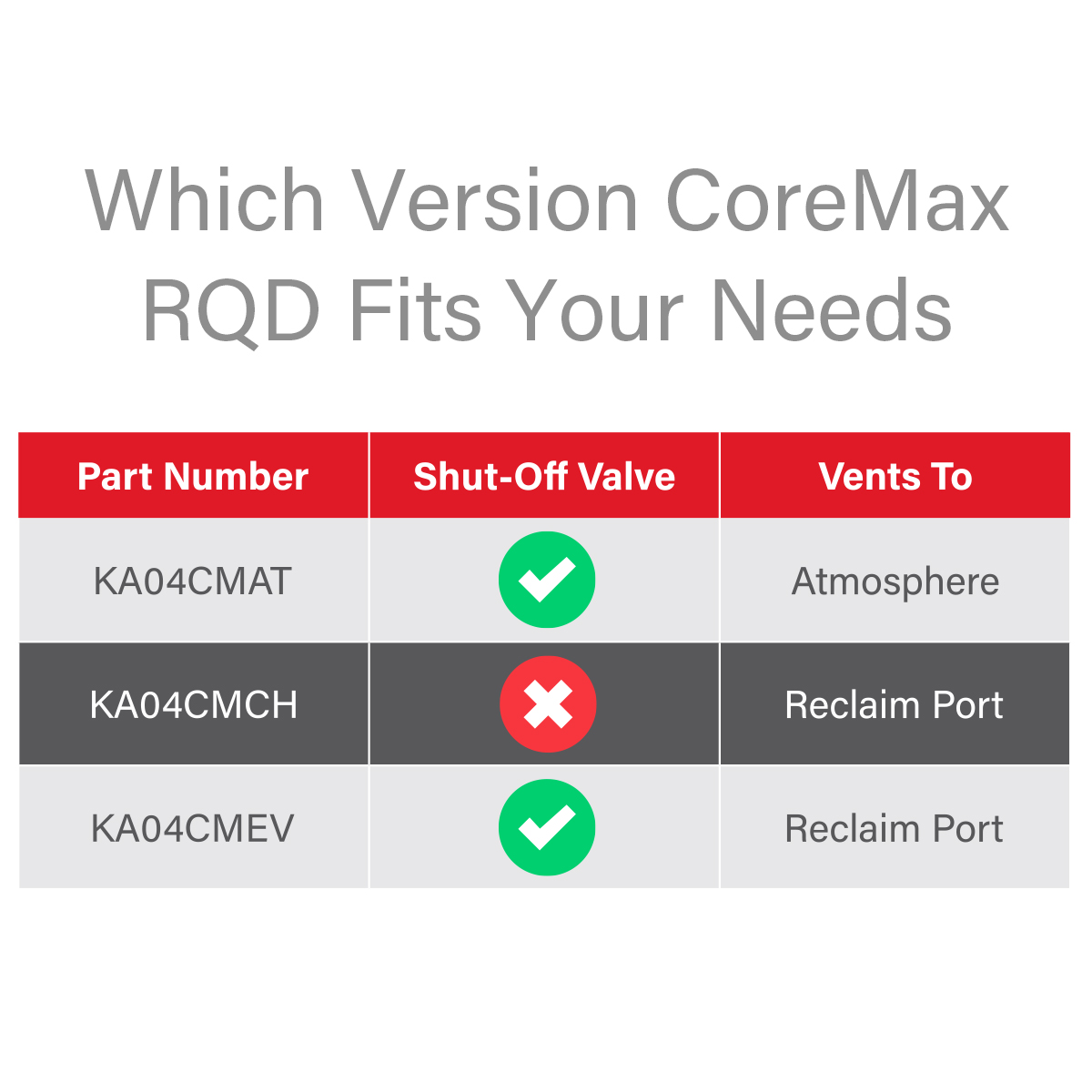
FasTest's CoreMax RQD easily connects to CoreMax Access Port.
- Sleeve latches RQD to CoreMax Access Port Seat before pressure is applied (by lifting handle) thus eliminating the high force to connect of a pressurized OEM SnapMate connector
- Safety latch feature prevents accidental disconnection when under pressure
- Lever handle opens/closes valves to charge system. When closing, residual pressure is safely directed away from operator or can be recovered in refrigerant applications
- Ergonomic action eliminates repetitive twisting motion & possible operator injuries
- Minimal maintenance required, main seals are easy to replace
- Recovery port option supports Zero Emission Processing
Connects To:
CoreMax Seat
Max Pressure Rating:
750psi (51.7 bar)
Actuation Method:
Sleeve latch, move handle to 90° (open) position
Actuation Type:
For “Processing” (Leak Test, Evacuation, Charging) systems with CoreMax Valves. Options available for refrigerant “Reclaim Ports” for Zero Emission Processing.
CoreMax RQD Operating Instructions: Click Here
CoreMax RQD Rebuild Instructions: Click Here
CoreMax RQD Data Sheet: Click Here
Similar Products
RQD Quick Disconnect Connection Tool
Fast connection tool for ISO 7241-1 Series B quick disconnect plugs and process tips under pressure.
ZeroMax™ | RQD Charge Tool
Charge tool for fast refrigerant charging through ZeroMax™ | access ports.
Which RQD option is best for you?
Use the RQD options page to learn more.